Break the redesign loop. Know it’s manufacturable with DFM.
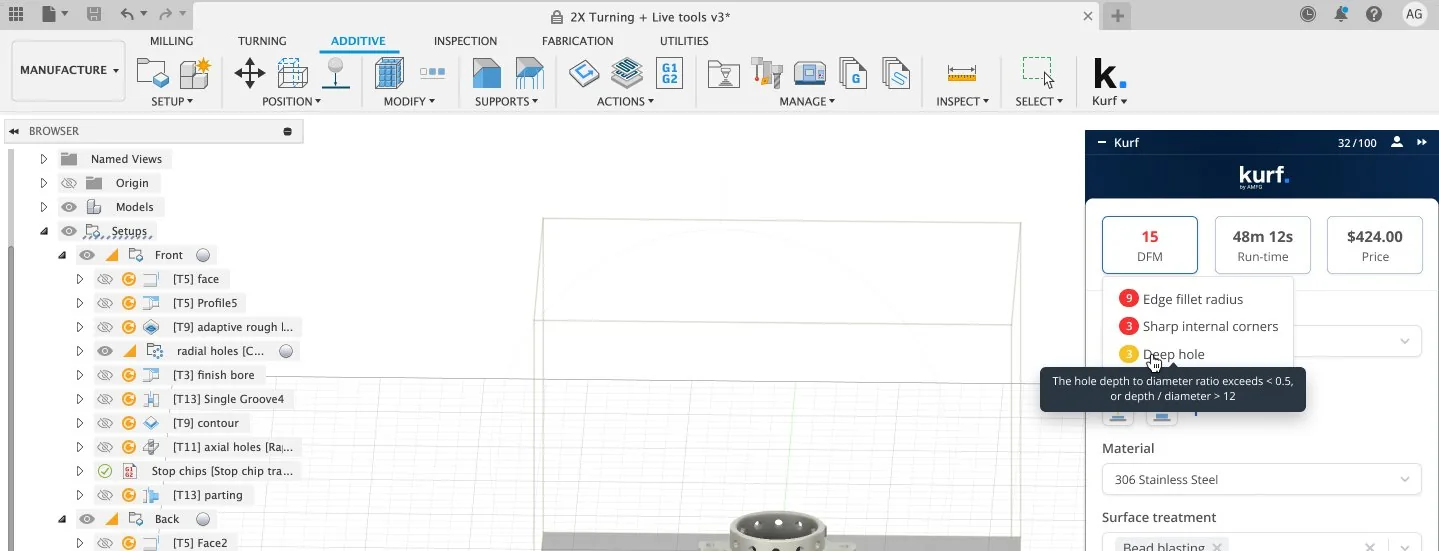
Kurf. checks your CNC parts for DFM issues inside Autodesk Inventor, so problems show up on your CAD design software, not in a supplier's email.
Late DFM feedback sets you back days.
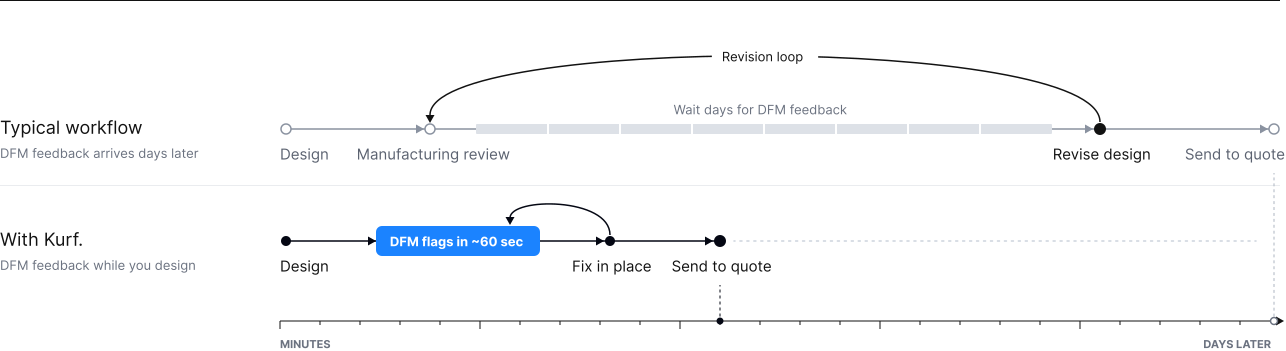
You think the design is done. Days later, DFM issues are flagged and you’re back reworking a design you thought was finished.
The feedback isn't the problem, it’s when you get it.
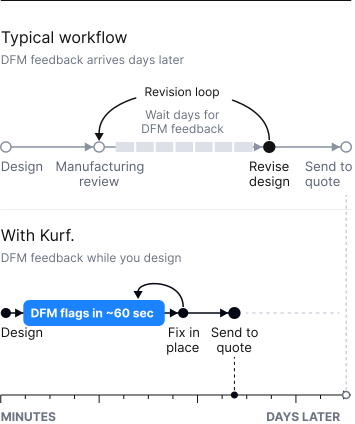
Less rework. Faster production.
Clarity on Design for Manufacturability.
Understand the feasibility of your part’s manufacturability, so you can make better design decisions.
Faster revision loops.
Design for manufacturability from the start, so you can fix machining issues while you design instead of waiting days on a supplier to find them.
Directly in your CAD software.
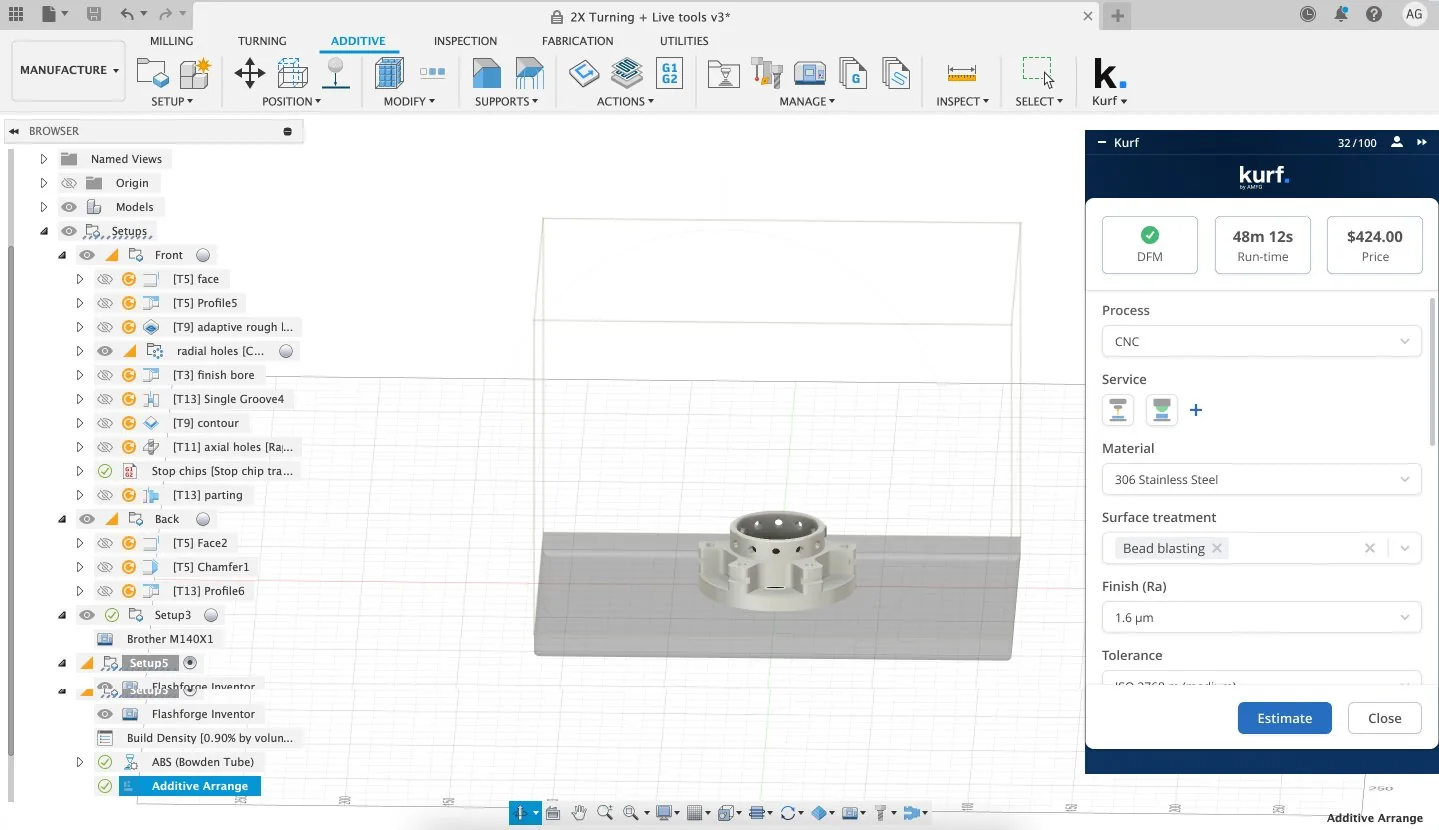
Kurf. generates DFM warnings straight from Inventor. No tab switching, no exporting, minimal manual data entry.
How it works: From Model to DFM in About 60 Seconds
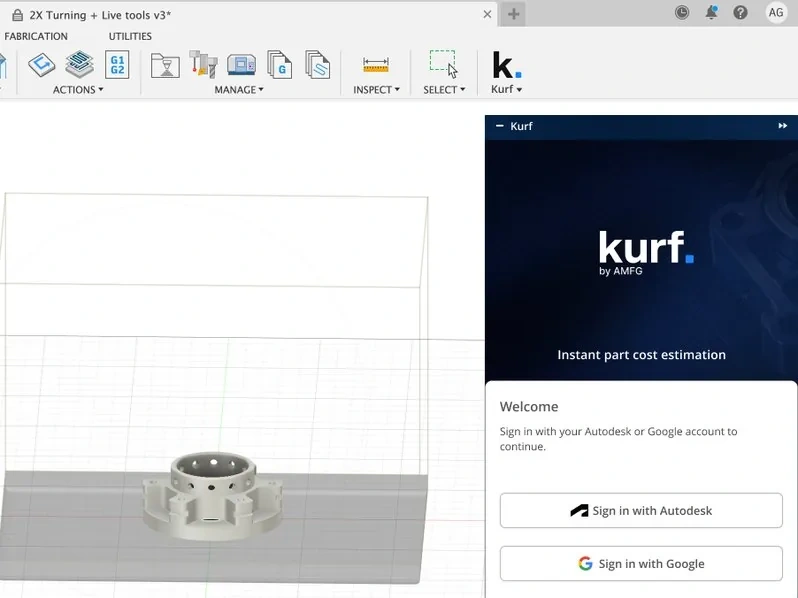
Open your CAD file in Inventor.
Kurf. runs inside the tool you already use.
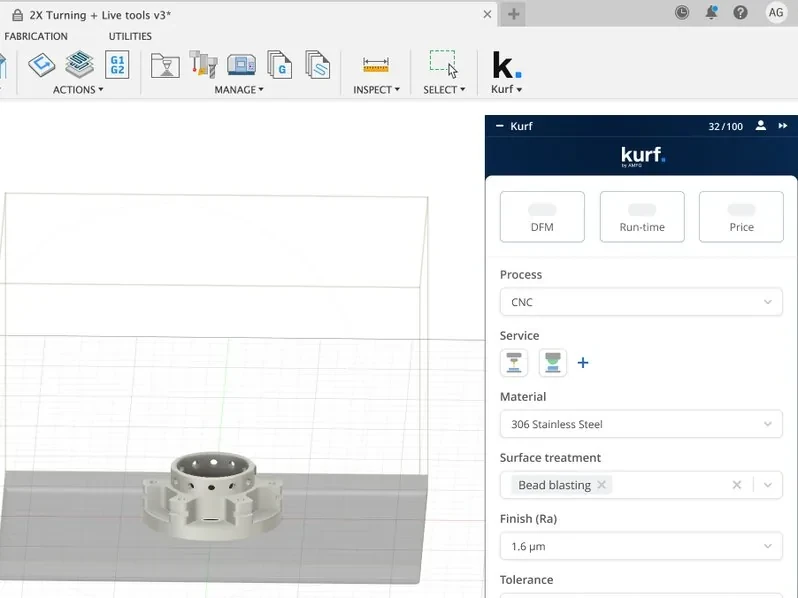
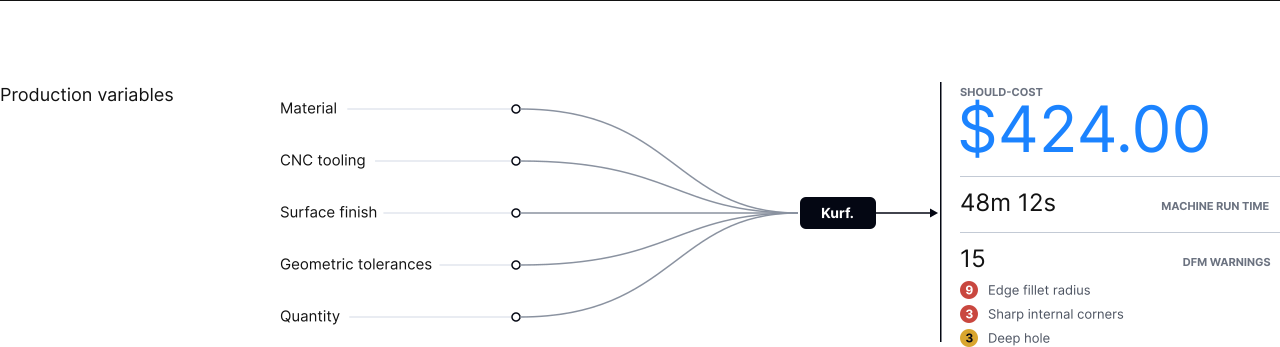
Set your production variables.
Material, CNC tooling, surface finish, geometric tolerances and quantity.
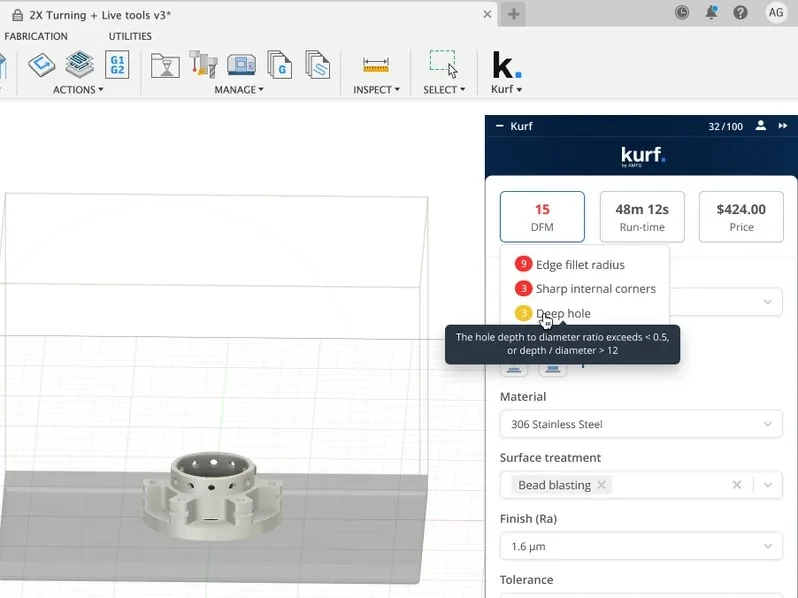
Review and refine.
Kurf. analyzes geometry, volume, wall thickness and complexity, then returns DFM warnings like tight tolerances and thin walls, design revision suggestions and time and cost estimates. Change a variable and re-run to compare.

See How Design Decisions Impact Cost
Kurf. delivers a should-cost estimate for each part, based on country specific labor and machine rates, so a manufacturable design is a cost effective one too.
Native to Autodesk Inventor
Kurf. is a native Inventor plugin. It reads your CAD geometry directly in the viewport, so the model you're designing is the model being checked. Analysis is powered by AMFG's proprietary Geometric Estimating Engine and Sentinel AI for CNC machined parts.
FAQs

CNC machined parts. Kurf. analyzes your Inventor model against the material, tooling, finish, tolerances and quantity you set.
Not yet. Kurf. is built for Autodesk Inventor.
Book a short demo with our team. We'll walk you through Kurf. and then send your access link. A free tier is available.
No. Kurf. runs inside Inventor and reads the geometry directly. There's minimal manual data entry.
No, it does not automatically update. Kurf. needs to be re-run every time a change is made to compare.
Find DFM issues before your machine shop does
Get manufacturability feedback on CNC parts inside Inventor, to make better design decisions faster.