Get a should-cost estimate for CNC parts
Every design decision impacts price. But you don’t know how much. Make smarter design engineering choices with CNC part cost estimates with Kurf. Compare costs, optimise designs and make faster decisions without long lead times.
Design tradeoffs are hard to assess.
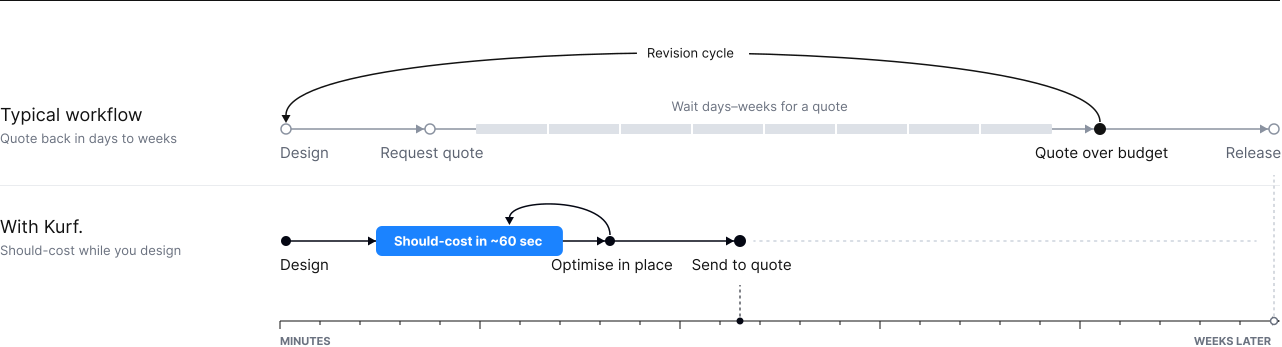
You make dozens of decisions that set the price of a part, but it takes days or weeks to get a quote back. If it costs more than budgeted, designs are backtracked for another time and cost consuming revision cycle.
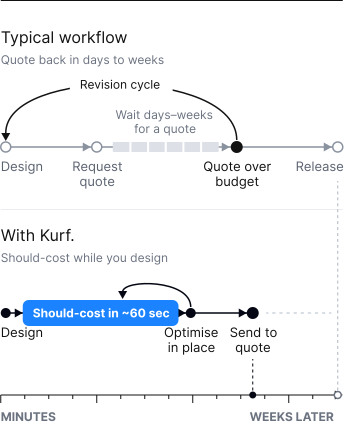
Benefits: Design with cost clarity.
See cost early.
Get a manufacturing cost straight from your 3D model in about 60 seconds. No waiting on a vendor quote to learn what a part will cost.
Estimates you can defend.
Should-cost estimates are based on country-specific labor and machine rates, with machine run times included. Numbers you can take into a design review.
Cheaper parts, fewer iterations.
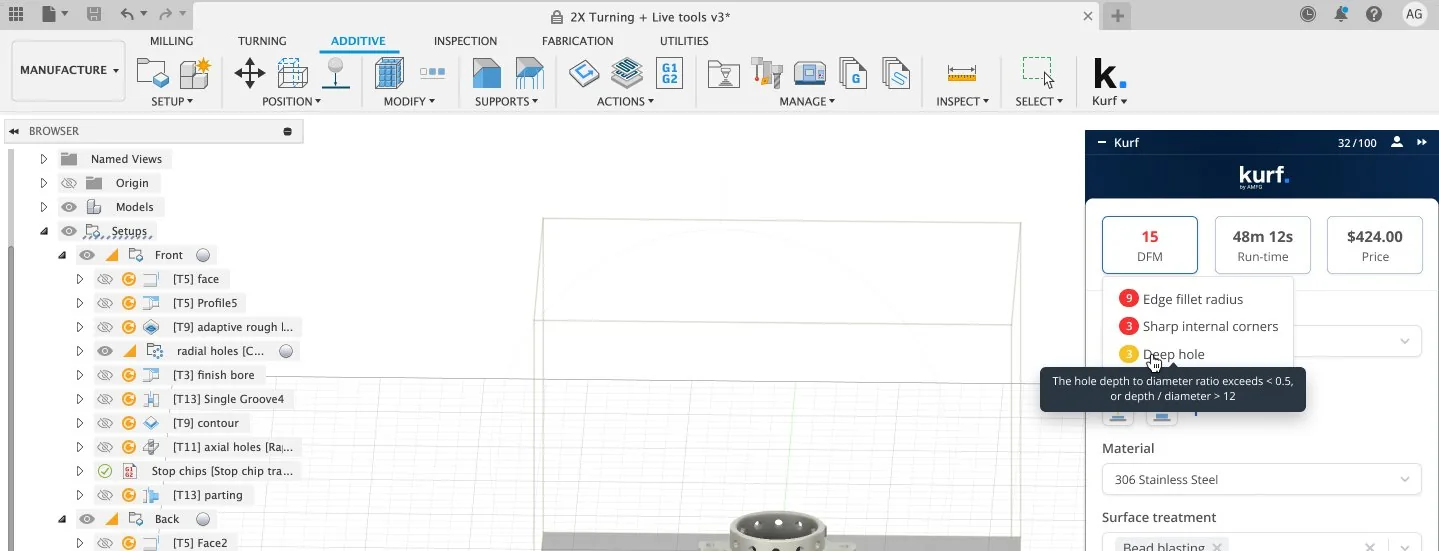
Kurf. flags DFM warnings and suggests design changes in the same pass, so you can cut cost and avoid rework together.
How it works: CNC part cost estimation in three steps
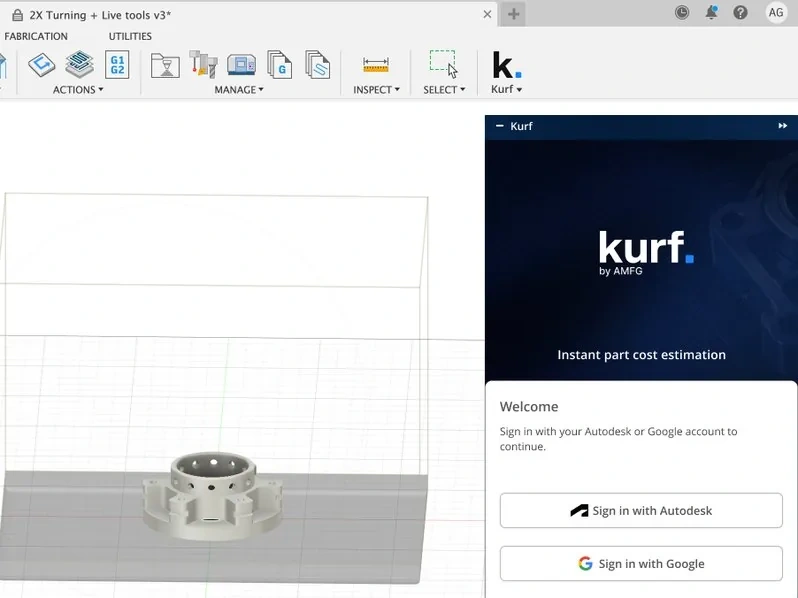
Open your part in Inventor.
Kurf. reads the geometry, volume, wall thickness and complexity directly.
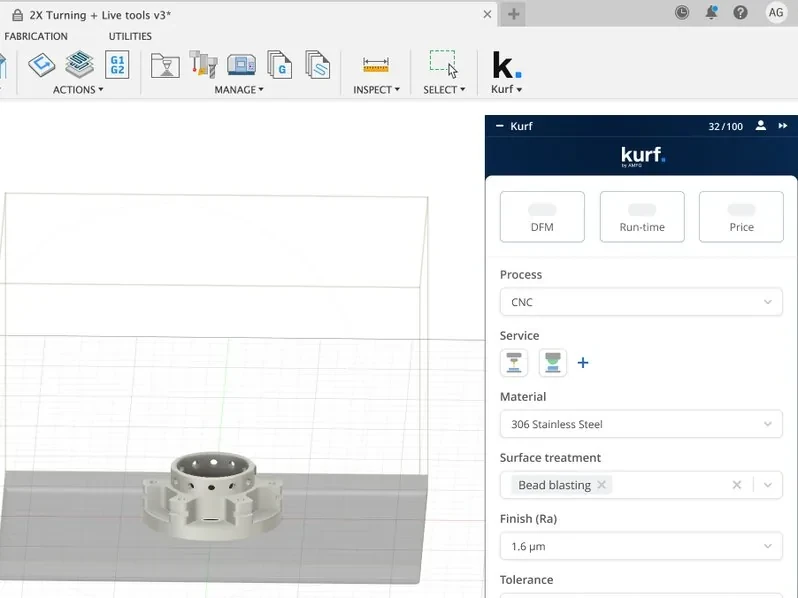
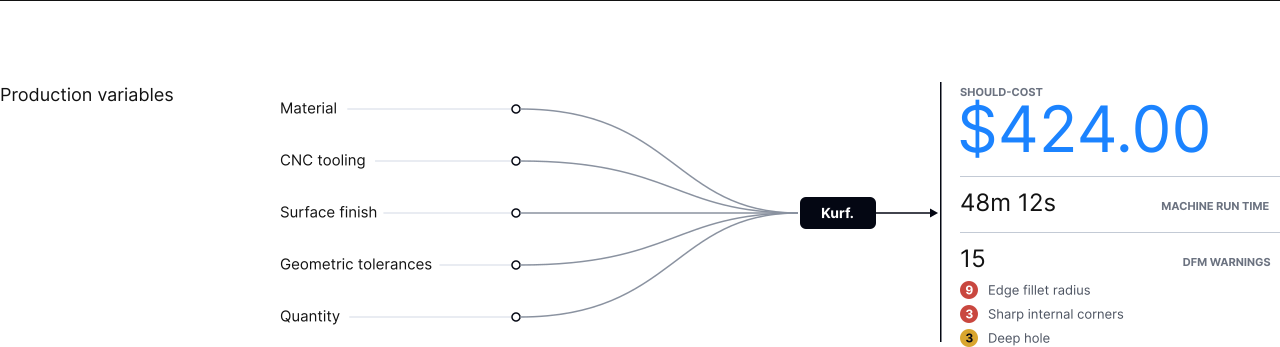
Set your production variables.
Material, CNC tooling, surface finish, geometric tolerances and quantity.
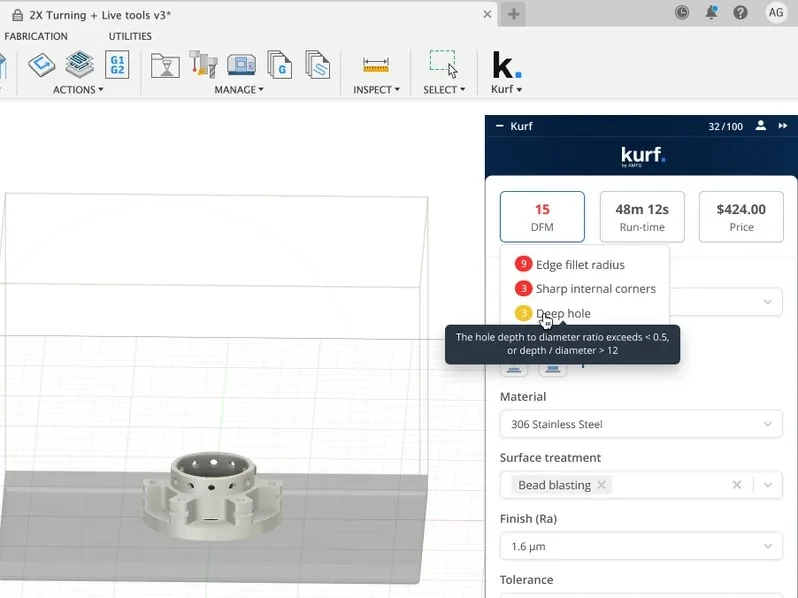
Get your should-cost.
Kurf. returns a cost estimate, machine run time, DFM warnings and cost-reducing suggestions. Change a variable and re-run to compare the total.

Native to Autodesk Inventor
Kurf. runs inside Inventor, with no need for manual data entry and switching tools. Estimates are powered by AMFG's proprietary Geometric Estimating Engine and Sentinel AI for CNC machined parts.
FAQs

Kurf. produces should-cost estimates from your model's geometry, the production variables you set, and country-specific labor and machine rates. That gives you a defensible number to design against before a vendor quotes.
CNC machined parts.
Not yet. Kurf. is built for Autodesk Inventor.
Book a short demo with our team. We'll show you Kurf. on a CNC part, then send your access link. A free tier is available.
Stop waiting on the quote to know what it costs.
Get a should-cost estimate for CNC parts inside Inventor in about 60 seconds to optimise your part before requesting a quote.
A short demo with our team, then we send your access link.